BCBS Credentialing Application Stuck? How to Check Status and Escalate
Is your BCBS credentialing application delayed? Learn how to check application status, identify missing requirements, contact the right team, and escalate follow-ups.
Schedule Free Demo Today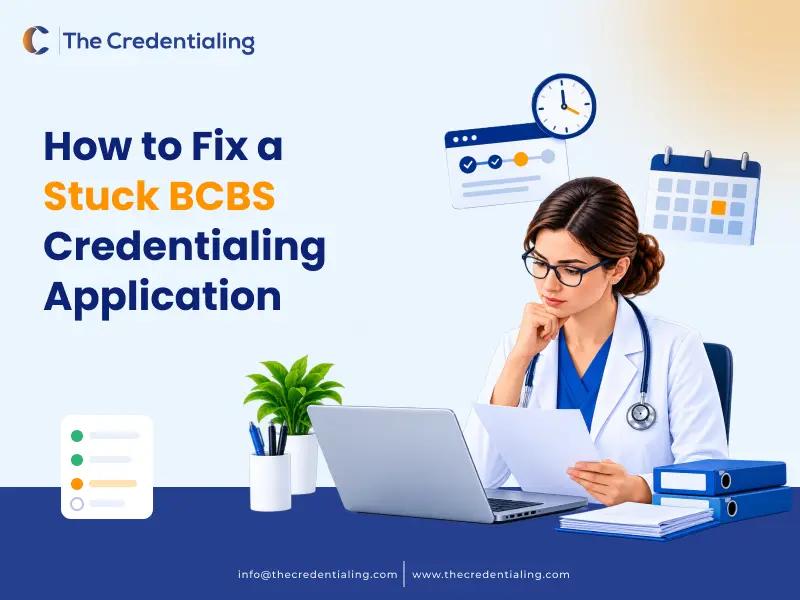
If your Blue Cross Blue Shield (BCBS) credentialing application appears stuck, the first step is to identify what is actually pending. The file may not have been received, the plan may need additional information, primary source verification may still be underway, contracting may be incomplete, or the provider’s details may not yet be reflected in the plan’s systems.
A delay does not automatically mean the application has been rejected or lost. The most useful response is to verify the submission, check for outstanding requirements, identify the current stage, and contact the correct team with a concise record of the application. Because BCBS processes vary by local plan and provider type, confirm the steps with the specific plan handling your application.
Why a BCBS Credentialing Application May Be Delayed

Common causes to investigate include:
-
The application was not successfully submitted or the confirmation was not retained.
-
A required field, document, attestation, or authorization is missing or outdated.
-
Provider, group, location, NPI, taxonomy, or tax information does not match across records.
-
The plan has requested additional information and is waiting for a response.
-
Primary source verification or another review stage is still in progress.
-
The application has moved to contracting, committee review, or system loading, which may be handled by a different team.
-
The network or specialty has plan-specific participation restrictions or panel availability considerations.
These are diagnostic possibilities, not a claim that every BCBS plan uses the same workflow. Ask the plan to confirm the actual reason for the delay before changing data or submitting another application.

Step 1 - Confirm the Submission Was Received
Start with the submission record. Locate the confirmation email, portal receipt, transaction ID, application reference number, or other acknowledgement supplied by the plan or its designated platform.
1.Confirm the date the application was submitted and the method used.
2.Check whether the portal shows a received, submitted, incomplete, or other status.
3.Save the reference number and any confirmation or error message.
4.If there is no receipt, ask the plan or portal support channel whether a submission exists before sending a duplicate application.
When contacting the plan, provide enough information to locate the file, using its approved secure channel. Avoid sending sensitive provider or tax information through an unverified email address.
Step 2 - Check CAQH and Supporting Documents
If the local plan uses CAQH ProView for your credentialing workflow, review the provider’s profile and confirm whether it is complete, attested, authorized for the relevant organization, and supported by current documents. CAQH profile completion is not the same as confirmation that the payer has completed credentialing or contracting.
-
Check the following items where applicable:
-
CAQH profile status and any required re-attestation.
-
Authorization or access settings for the relevant health plan.
-
Current license, malpractice coverage, and other requested documents.
-
Provider name, NPI, taxonomy, practice location, and group affiliation.
-
Portal messages or written requests from the plan.
-
Proof that any requested correction or document was sent through the required channel.
Do not assume that a CAQH issue is the cause of every delay. Ask the plan whether the file is waiting on CAQH information, a separate application, additional documents, verification, contracting, or another step.
Step 3 - Identify the Stage That Is Pending
A useful status check should produce a specific next step, not only a general response that the application is still being processed. Ask which stage is open and whether anything is required from the provider or practice.
-
Intake or completeness review: Has the plan received all required items?
-
Primary source verification: Is a license, education, training, certification, or other source still awaiting verification?
-
Credentialing review: Is the file awaiting a review decision or committee process?
-
Contracting: Is a participation agreement or other contract step outstanding?
-
Provider or group loading: Has the provider’s participation information been entered into the relevant systems?
-
Effective date: Has the plan confirmed the participation effective date in writing?
Use the terminology the plan gives you. Not every BCBS organization exposes the same status labels or follows the same order of steps.
How to Interpret Common BCBS Application Statuses
Different BCBS organizations may use different status labels depending on their application portals and enrollment workflows. The following descriptions are general administrative examples, not standardized status definitions across all BCBS plans.
|
Application status |
What to verify |
|
Submitted |
Confirm that the plan received the application and issued a reference number. |
|
Incomplete |
Ask which fields, documents, or authorizations are missing. |
|
Pending verification |
Identify which credentials or records are still awaiting verification. |
|
Credentialing approved |
Confirm whether contracting or enrollment steps remain outstanding. |
|
Contracting pending |
Check whether a participation agreement or other contract action is required. |
|
Enrollment pending |
Ask whether provider, group, or location information is awaiting system loading. |
|
Effective date confirmed |
Obtain written confirmation of the participation effective date. |
Do not assume that these labels mean the same thing across all BCBS organizations. Ask the local plan to explain the exact status shown in its system and identify the next required action.
Step 4 - Contact the Correct BCBS Team
Use the official provider contact information for the local plan handling the application. Depending on the issue, the appropriate contact may be provider enrollment, credentialing, network management, contracting, or provider relations. A general member-services number may not be equipped to investigate a provider application.
When you call or write, have the submission date, reference number, provider name, NPI, group name, and the specific issue ready. Ask the representative to confirm the current stage, identify any outstanding requirement, and explain the correct route for a status escalation.
If the first contact cannot resolve the issue, ask which team owns the next step and how to submit a documented follow-up. Do not assume every plan has a dedicated representative assigned by ZIP code or that a particular escalation route exists.
BCBS Credentialing Escalation Email Template
Confirm the plan’s official contact channel, then replace the bracketed fields.
Subject: Status Request — BCBS Provider Credentialing Application — [Provider or Reference ID]
Hello Provider Enrollment/Credentialing Team,
I am following up on the provider credentialing application submitted on [submission date] for [provider name or approved identifier]. The application/reference number is [reference number].
Please confirm the current review stage, any outstanding items, the team responsible for the next step, and the expected timing of the next update if available. We can provide additional information through your designated secure process. Thank you.
Regards,
[Name]
[Role / Practice]
[Business contact information]
Keep the message factual and professional. Avoid claiming that the plan has violated a deadline unless you have verified the applicable requirement and circumstances.
What to Ask Before Ending the Follow-Up
Before closing the call or email thread, confirm the next action and document it.
-
What exact item or review stage is preventing progress?
-
Is action required from the provider, the practice, or the payer?
-
What is the correct method for sending missing information?
-
Can the representative provide a case number or written confirmation?
-
When should the practice follow up if there is no new update?
-
Does the application require a separate contracting, group affiliation, location, or enrollment step?
Record the date, team contacted, representative name if provided, case number, summary of the response, and agreed follow-up date. This creates a clear administrative trail and reduces repeated explanations.
Billing and Effective-Date Cautions
Do not treat a pending credentialing application as confirmation that the provider is in-network. Before billing as an in-network provider, verify the plan’s participation status, applicable contract, effective date, and billing rules. Coverage and payment decisions may also depend on the member’s product, provider arrangement, place of service, and other plan terms.
Do not assume that claims can be billed retroactively, that a supervising provider’s NPI can be substituted, or that a claim will be paid because an application was submitted earlier. These are not safe universal rules. Confirm the applicable contract and payer guidance, and seek qualified billing or compliance advice when necessary.
Medicare’s rules for effective dates and limited retrospective billing are program-specific and should not be applied automatically to commercial BCBS plans. The local commercial plan’s written terms and guidance control the relevant process.
How to Prevent Future Application Delays
Use a pre-submission checklist tailored to the relevant local plan and provider type.
-
Check provider and organization identifiers, taxonomy, location, and group relationships before submitting.
-
Keep CAQH data and supporting documents current when CAQH is used in the workflow.
-
Maintain a secure tracker of submission dates, reference numbers, requests, responses, and next follow-up dates.
-
Assign a clear owner for payer messages and document requests.
-
Confirm whether a separate contract, roster, group affiliation, or location update is needed.
-
Review the plan’s official instructions before reusing a previous application workflow.
When Credentialing Support May Help
Managing a delayed BCBS application can require repeated follow-ups, document checks, CAQH updates, and coordination between credentialing, enrollment, and contracting teams.
For practices managing multiple providers or payer applications, this administrative workload can become difficult to track.
TheCredentialing provides healthcare credentialing and provider enrollment support, including application coordination, documentation management, CAQH profile assistance, and payer follow-ups.
Our team can help practices organize outstanding requirements, monitor application progress, and coordinate administrative follow-ups with the relevant payer teams.
BCBS retains control over credentialing decisions, network participation, contract terms, and effective dates. Administrative support does not guarantee approval or a particular processing timeline.
Need help managing your provider credentialing applications? Contact TheCredentialing to discuss your practice's credentialing and enrollment requirements.
Frequently Asked Questions
How do I check my BCBS credentialing application status?
Use the status channel specified by the local BCBS plan or its designated submission platform. Have your submission date and reference number ready, and ask which stage is pending and whether any action is required.
Why is my BCBS application still pending?
Possible causes include incomplete information, missing documents, verification in progress, a separate contracting step, or system loading. The plan handling the application must confirm the specific reason.
Should I submit a second application if I cannot find the first one?
Not before checking with the plan or platform support channel. Confirm whether the original submission exists and whether a duplicate would cause confusion.
Can CAQH re-attestation fix a stuck BCBS application?
It may help if the plan confirms that the CAQH profile requires attestation or updated information. It will not resolve delays caused by unrelated verification, contracting, or enrollment steps.
Can I bill BCBS while credentialing is pending?
Do not assume you can bill as an in-network provider. Confirm the provider’s participation status, effective date, contract, and applicable plan rules before submitting claims on that basis.
When should I escalate a delayed application?
Use the local plan’s stated processing guidance. If the application is outside that timeframe or has no clear next step, contact the responsible team, document the response, and ask for the appropriate escalation route.
References and Additional Resources
-
CAQH – Provider data management and credentialing resources.
-
Availity – Provider portal and administrative resources, where applicable to the local BCBS plan.
-
Centers for Medicare & Medicaid Services (CMS) – Medicare provider enrollment guidance. Medicare-specific rules should not be treated as commercial BCBS requirements.
-
The official provider enrollment and credentialing instructions published by the relevant local Blue Cross Blue Shield organization.
Sit Back and Relax! Let The Pros Handle Credentialing For You!
thecredentialing has built a strong portfolio while providing credentialing services to clients over the years. Our service includes helpful features that you won’t find anywhere else.
Schedule Free Demo Today!