PECOS Enrollment Guide for Healthcare Providers: Requirements, Steps & Medicare Enrollment 2026
Learn how PECOS enrollment works for U.S. healthcare providers, including Medicare requirements, documents, application steps, timelines, errors, and revalidation.
Schedule Free Demo Today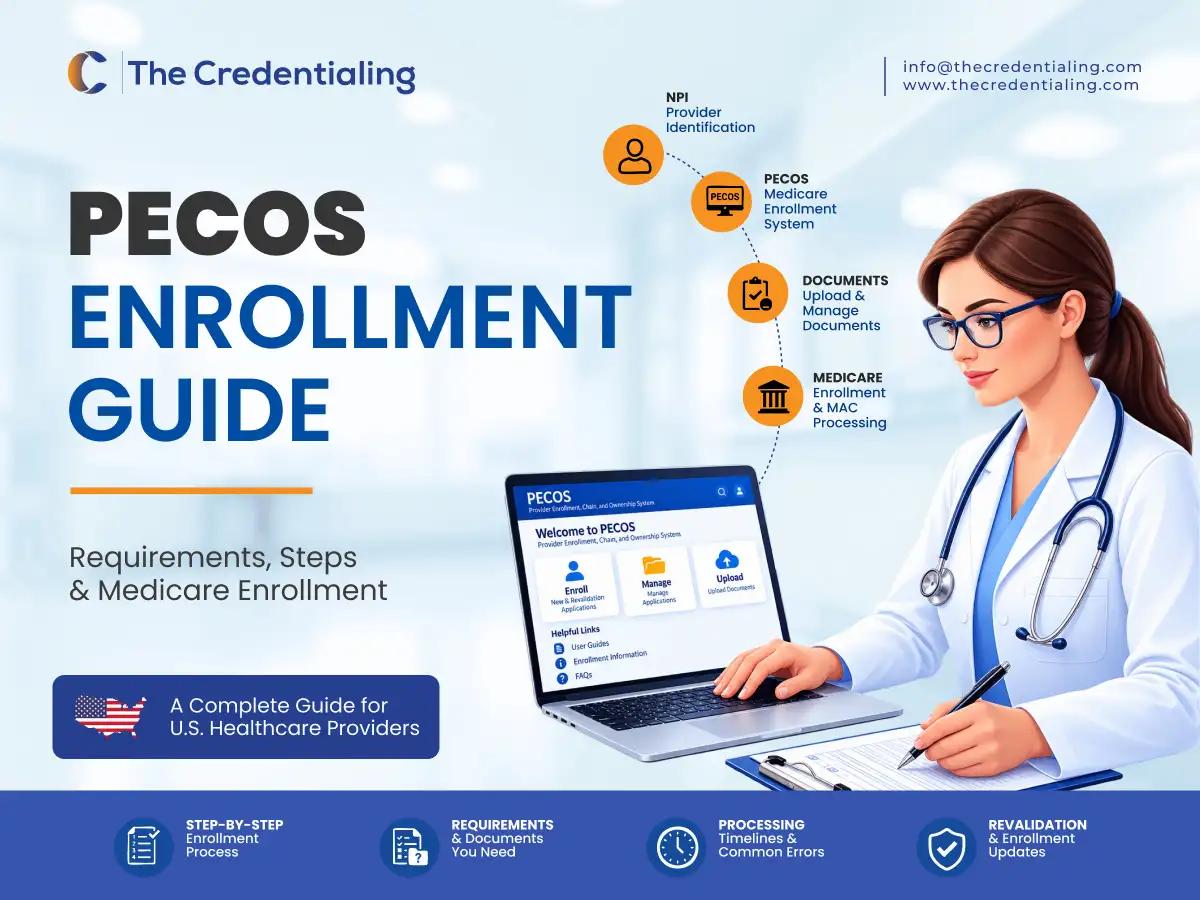
Last Updated: August 2026
If you're a healthcare provider or healthcare organization in the United States and need to enroll in Medicare, PECOS will likely become part of your enrollment process.
PECOS stands for Provider Enrollment, Chain, and Ownership System. It is the Centers for Medicare & Medicaid Services (CMS) online system for managing Medicare provider and supplier enrollment.
Through PECOS, eligible providers and suppliers can submit Medicare enrollment information, review information already on file, upload supporting documents, and electronically sign and submit enrollment information. CMS also says online PECOS applications tend to process faster than paper applications.
But PECOS is not the same thing as an NPI, a Medicare provider number, credentialing, or CAQH.
Understanding how these pieces fit together can help prevent avoidable enrollment delays.
This guide explains PECOS enrollment requirements, the Medicare PECOS application process, documents you may need, common mistakes, processing timelines, status checks, and Medicare revalidation for U.S. healthcare providers in 2026.
Key Takeaways
-
PECOS is CMS's online system for Medicare provider and supplier enrollment.
-
An NPI and Medicare enrollment are separate things.
-
The information in your NPI, PECOS, licensing, tax, and other provider records should be accurate and consistent.
-
Documentation requirements vary by provider or supplier type and enrollment situation.
-
Some Medicare providers and suppliers may be subject to an enrollment application fee.
-
Medicare enrollment does not end when your initial application is approved.
-
Providers must maintain accurate enrollment information and complete revalidation when required.
-
Your Medicare Administrative Contractor (MAC) may request additional information during enrollment.
-
Always verify current requirements with CMS and your applicable MAC because Medicare enrollment rules can change.
What Is PECOS?
PECOS, or the Provider Enrollment, Chain, and Ownership System, is CMS's online Medicare enrollment management system.
Healthcare providers and suppliers can use PECOS to
-
Apply for Medicare enrollment
-
Review enrollment information currently on file
-
Update certain enrollment information
-
Upload supporting documentation
-
Electronically sign and submit enrollment information
-
Complete applicable enrollment maintenance and revalidation activities
CMS specifically identifies PECOS as the online option for Medicare enrollment and notes that providers can submit applications electronically instead of relying on paper enrollment applications.
That distinction is important.
PECOS isn't a replacement for every other healthcare provider system. It is one part of the broader Medicare enrollment process.
For example, NPPES is used for NPI management, while PECOS is used for Medicare enrollment.
Is PECOS a Medicare database?
PECOS is a CMS system used to manage Medicare enrollment information. It contains enrollment information associated with Medicare providers and suppliers and supports the enrollment process.
However, providers should not confuse PECOS with public provider directories, NPPES, or commercial payer databases. Each system serves a different purpose.
Who Needs PECOS Enrollment?
PECOS is relevant to healthcare providers and suppliers who need to enroll in the Medicare program.
Depending on the situation, this can include:
-
Physicians
-
Nurse practitioners
-
Physician assistants
-
Other eligible non-physician practitioners
-
Medical groups
-
Clinics
-
Healthcare organizations
-
Institutional providers
-
Certain Medicare suppliers
-
Organizations adding or managing Medicare-enrolled providers
The exact application and requirements depend on the provider or supplier type.
That's why there isn't one universal PECOS requirements checklist that applies identically to every Medicare enrollment.
A physician enrolling individually may have different requirements from a group practice, institutional provider, or DMEPOS supplier.
Before starting an application, determine exactly what entity or provider you're enrolling and what enrollment action you're taking.
PECOS vs. NPI vs. Medicare Provider Number
One of the most common sources of confusion is treating PECOS, NPI, and a Medicare provider number as if they're interchangeable.
They aren't.
| Term | Purpose |
|---|---|
| NPI | A unique identifier used to identify healthcare providers and organizations in standard healthcare transactions |
| NPPES | CMS system used to apply for and manage NPI information |
| PECOS | CMS online system used to submit and manage Medicare enrollment |
| Medicare Provider Number / PTAN | Identifier associated with a provider's Medicare enrollment relationship |
A simple way to understand the relationship is the following:
NPI → Medicare enrollment application → PECOS → MAC processing → Medicare enrollment
Getting an NPI does not automatically enroll you in Medicare.
Likewise, having a PECOS profile does not mean every Medicare enrollment requirement has been completed.
If you need more information about NPI requirements, see our NPI Information Guide.
For information specifically about Medicare provider numbers, see our Medicare Provider Number Guide.
PECOS Enrollment Requirements
There is no single document or information list that applies to every PECOS enrollment.
Your requirements can depend on:
-
Provider or supplier type
-
Individual vs. organizational enrollment
-
Initial enrollment vs. revalidation
-
New practice location
-
Ownership changes
-
Reassignment relationships
-
Medicare participation status
-
Applicable screening requirements
-
Other enrollment circumstances
Before starting your Medicare PECOS application, make sure the core provider and organization information is accurate.
Depending on your enrollment situation, this may include the following:
-
Legal name
-
NPI
-
Tax identification information
-
Provider specialty
-
Taxonomy information
-
Practice locations
-
Mailing address
-
Licensure information
-
Ownership information
-
Authorized official information
-
Managing employee information, where applicable
-
Reassignment information, where applicable
-
EFT information
-
Supporting documentation
-
Required signatures or electronic signatures
CMS's Medicare enrollment guidance explains that enrollment requirements vary according to the provider or supplier and enrollment circumstances.
Do You Need an NPI Before PECOS Enrollment?
For Medicare enrollment, CMS's current guidance places NPI acquisition through NPPES before completing the Medicare enrollment application.
If you don't have the appropriate NPI yet, resolve that first rather than beginning a Medicare enrollment application with incomplete provider identification information.
Documents Needed for PECOS Enrollment
The documents required for a Medicare PECOS application depend on the provider type and enrollment scenario.
There is no responsible way to promise that every provider needs exactly the same documents.
Depending on your situation, documentation may involve:
-
Professional licenses
-
NPI information
-
Tax identification information
-
Practice location information
-
Ownership documentation
-
Authorized official information
-
Managing employee information
-
Reassignment documentation
-
Banking or EFT information
-
Provider-specific certifications
-
Other supporting documentation requested by Medicare
PECOS allows supporting documentation to be uploaded electronically as part of the enrollment process.
Before You Upload Documents
Check that your documents are:
-
Current
-
Legible
-
Complete
-
Consistent with your application
-
Signed when required
-
Relevant to the enrollment action
Don't wait until after submission to discover that your license has expired or your practice address doesn't match your other records.
How to Enroll in Medicare Through PECOS
The Medicare enrollment process involves more than simply opening PECOS and completing a form.
A typical workflow looks like this.
Step 1: Set Up the Appropriate CMS Access
CMS uses its Identity & Access Management (I&A) system to manage access to CMS enrollment systems.
Organizations may need an authorized official to establish appropriate access for individuals who will manage enrollment activities.
Make sure the person completing the application has the correct authorization before beginning.
Step 2: Obtain or Confirm Your NPI
Your NPI information should be accurate before you begin the Medicare enrollment process.
If you already have an NPI, review the information associated with it.
If you don't have one, follow the applicable NPPES process.
Don't assume that an NPI automatically means you're enrolled in Medicare.
It doesn't.
Step 3: Start the Appropriate Medicare Enrollment Application
Once your access and NPI information are ready, begin the applicable Medicare enrollment application through PECOS.
The application requirements depend on your provider or supplier type.
CMS provides different enrollment applications for different categories of Medicare providers and suppliers.
Step 4: Enter Your Provider Information
This is where accuracy becomes critical.
Review information such as:
-
Legal name
-
NPI
-
Tax ID
-
Specialty
-
Taxonomy
-
Practice location
-
Mailing address
-
Ownership
-
Authorized officials
-
Contact information
-
Reassignment relationships
Don't simply copy information from an old application without checking it.
If your provider information has changed, update the appropriate records instead of carrying outdated information forward.
Step 5: Upload Supporting Documentation
PECOS allows supporting documents to be submitted electronically.
Organize your documentation before submission so you can respond quickly if additional information is requested.
Step 6: Complete the Required Signature Process
Follow the applicable electronic signature or documentation requirements associated with your application.
A Medicare enrollment application isn't complete simply because you've entered all the information.
Make sure the required submission and signature steps have actually been completed.
Step 7: Pay the Applicable Enrollment Fee, If Required
Not every Medicare provider or supplier is subject to the enrollment application fee.
Certain institutional providers and suppliers may be required to pay a fee, while certain provider categories may qualify for an exemption.
For 2026, CMS lists the Medicare enrollment application fee as $750 for applicable providers and suppliers. Always verify the current fee and whether an exemption applies to your particular enrollment situation before submitting.
Step 8: Submit the Application
Once the application is complete, submit it through PECOS.
Keep a record of your submission and supporting documentation.
Step 9: Respond to Your MAC
After submission, your Medicare Administrative Contractor (MAC) may review the application and request additional information.
If you receive a request, respond carefully and within the required timeframe.
Don't assume that submitting the application means the process is finished.
PECOS Enrollment Process

PECOS Enrollment Steps at a Glance
If you want the short version, remember this:
I&A access
→ NPI
→ PECOS application
→ Provider information
→ Supporting documents
→ Signature
→ Applicable fee
→ Submission
→ MAC review
→ Enrollment maintenance
This sequence helps you understand where PECOS fits into the larger Medicare enrollment process.
How Long Does PECOS Enrollment Take?
There isn't one guaranteed PECOS processing time for every healthcare provider.
The timeline can vary based on:
-
Provider type
-
Enrollment type
-
Application completeness
-
Accuracy of submitted information
-
Supporting documentation
-
MAC workload
-
Provider screening requirements
-
Requests for additional information
-
Enrollment fee requirements
-
Other Medicare-specific circumstances
CMS says PECOS applications tend to process faster than paper applications.
That doesn't mean every PECOS application will be approved within a specific number of days.
Be cautious about websites promising a fixed Medicare enrollment timeline for every provider.
A clean, complete application can have a very different experience from one that requires corrections or additional documentation.
Common PECOS Enrollment Errors
Most PECOS problems aren't caused by the system itself.
They often start before the application is submitted.
1. Inconsistent Provider Information
If your NPI, tax information, licensing information, and Medicare enrollment information don't align, you may create unnecessary administrative work.
Review your records before submitting.
2. Outdated Practice Information
A practice address, phone number, ownership detail, or other enrollment information may have changed since your last application.
Don't assume older information is still correct.
3. Choosing the Wrong Enrollment Scenario
PECOS uses information about your enrollment situation to determine the appropriate application path.
Choosing the wrong scenario can lead to an application that doesn't match your actual needs.
4. Missing Documentation
An application may require supporting documentation.
If required documents aren't available or aren't submitted correctly, additional follow-up may be necessary.
5. Incomplete Submission
Entering information isn't the same as successfully submitting an application.
Complete all required signature and submission steps.
6. Ignoring MAC Requests
If your MAC requests additional information, don't let the request sit in an inbox.
Review it carefully and respond appropriately.
7. Waiting Until the Last Minute for Revalidation
Medicare enrollment needs ongoing maintenance.
Waiting until the last possible moment to deal with revalidation can create unnecessary pressure and potential billing disruption.
How to Check PECOS Enrollment Status
After submitting a Medicare enrollment application, providers naturally want to know:
What is the status of my PECOS application?
The answer may involve both PECOS and your Medicare Administrative Contractor.
If your application is being processed, your MAC may be the appropriate source for application-specific assistance or status information.
Before submitting a second application, first determine:
-
Was the original application successfully submitted?
-
Did CMS or the MAC request additional information?
-
Is documentation missing?
-
Does the application require correction?
-
Has the MAC provided a status update?
Submitting duplicate applications without understanding what happened to the first application can create more administrative work.
PECOS Revalidation and Enrollment Updates
PECOS isn't just for new Medicare applications.
Existing Medicare providers and suppliers can use PECOS to manage applicable enrollment information and complete revalidation activities.
CMS explains that providers can use PECOS to manage their Medicare enrollment information, including applicable changes and revalidation.
How Often Does Medicare Revalidation Occur?
Most Medicare providers and suppliers generally revalidate every five years.
DMEPOS suppliers generally revalidate every three years.
CMS can also require an off-cycle revalidation.
Your actual revalidation due date should be checked through CMS rather than estimated from the date of your original enrollment.
CMS provides a searchable Medicare Revalidation List where providers can check applicable revalidation due dates.
What Changes Should Medicare Providers Report?
Medicare enrollment information should remain accurate after approval.
Certain changes may have specific reporting deadlines.
CMS identifies changes such as:
-
Change in ownership
-
Practice location changes
-
Certain adverse legal actions
-
Other enrollment information changes
as matters that may need to be reported within specific timeframes.
Don't wait for your next revalidation to correct information that should have been updated earlier.
PECOS vs NPI vs Medicare Provider Number

When Should Providers Get Professional Enrollment Help?
PECOS is designed to allow providers and organizations to manage Medicare enrollment themselves.
For a straightforward application, an organized provider may be able to complete the process without outside assistance.
Professional enrollment support can become valuable when the administrative workload is more complicated.
You may benefit from enrollment assistance if:
-
You're enrolling a new medical group
-
You're adding multiple providers
-
You operate across multiple locations
-
You're managing Medicare and commercial payer enrollment simultaneously
-
Your ownership structure has changed
-
You have multiple enrollment records to maintain
-
You're approaching a revalidation deadline
-
Your application has been returned for corrections
-
Your staff doesn't have enough time for payer follow-up
-
You're coordinating NPI, CAQH, Medicare, Medicaid, and commercial payer information
The goal isn't to outsource every administrative task simply because it exists.
The goal is to prevent enrollment problems from taking time away from running your practice.
TheCredentialing provides Provider Enrollment & Credentialing Services for U.S. healthcare providers and organizations, including Medicare and Medicaid enrollment support. The company's service page also specifically references Medicare enrollment and PECOS integration as part of its enrollment workflow.
Frequently Asked Questions
What does PECOS stand for?
PECOS stands for Provider Enrollment, Chain, and Ownership System. It is CMS's online Medicare enrollment management system.
What is PECOS enrollment?
PECOS enrollment is the process of submitting and managing Medicare provider or supplier enrollment information through CMS's PECOS system.
Is PECOS the same as NPI?
No.
An NPI identifies a healthcare provider or organization. PECOS is used to manage Medicare enrollment.
Do I need an NPI for PECOS enrollment?
For Medicare enrollment, CMS's current guidance places obtaining an NPI through NPPES before completing the Medicare enrollment application through PECOS.
Is PECOS enrollment the same as credentialing?
No.
Medicare enrollment and provider credentialing are related but different processes.
Medicare enrollment establishes a provider's enrollment relationship with Medicare. Credentialing generally involves verifying a provider's qualifications and meeting a payer's participation requirements.
How long does PECOS enrollment take?
There is no single processing time that applies to every provider.
The timeline depends on provider type, application completeness, documentation, MAC processing, and other Medicare enrollment circumstances.
CMS says PECOS applications tend to process faster than paper applications.
How often does Medicare revalidation occur?
Most Medicare providers and suppliers generally revalidate every five years. DMEPOS suppliers generally revalidate every three years, although CMS can require off-cycle revalidation.
Can I update Medicare enrollment information through PECOS?
Yes. PECOS is used to manage applicable Medicare enrollment information, including certain updates and revalidation activities.
Does every PECOS application have a fee?
No.
Certain providers and suppliers may be subject to the Medicare enrollment application fee, while others may qualify for an exemption.
Check current CMS requirements for your provider or supplier type before submitting an application.
Who processes a Medicare PECOS application?
Medicare Administrative Contractors (MACs) process Medicare enrollment applications within their assigned jurisdictions, subject to CMS enrollment rules and the provider or supplier's enrollment category.
Can a credentialing company help with PECOS enrollment?
Yes. A credentialing or provider enrollment company can help organize enrollment information, prepare documentation, manage application workflows, and handle applicable follow-up.
The provider or organization remains responsible for ensuring that the information submitted on its behalf is accurate and authorized.
Final Thoughts on PECOS Enrollment
PECOS is an important part of Medicare provider enrollment, but it shouldn't be viewed as a standalone form that you complete once and forget.
For U.S. healthcare providers, Medicare enrollment is an ongoing administrative responsibility.
You need accurate provider information, appropriate documentation, timely updates, and attention to revalidation requirements.
The basic workflow is straightforward:
Prepare → Verify → Apply → Submit → Respond → Maintain
The difficult part is usually keeping every piece of information accurate and current across the different systems involved in provider enrollment.
If you're managing Medicare enrollment alongside commercial payer credentialing, CAQH, Medicaid enrollment, licensing, revalidation, and provider onboarding, the administrative workload can become substantial.
Need help with Medicare enrollment and PECOS?
TheCredentialing helps U.S. healthcare providers and organizations manage provider enrollment and credentialing workflows, including Medicare enrollment support.Explore Provider Enrollment & Credentialing Services
Official U.S. Resources
For current Medicare enrollment requirements, always verify information with CMS and your applicable Medicare Administrative Contractor.
Sit Back and Relax! Let The Pros Handle Credentialing For You!
thecredentialing has built a strong portfolio while providing credentialing services to clients over the years. Our service includes helpful features that you won’t find anywhere else.
Schedule Free Demo Today!